Sticker Outline Maker
Add a white sticker border and a cut line to your art in seconds. Download a PNG for Procreate or printing, or an SVG cut line for Cricut and Silhouette. It runs in your browser, so your art never leaves your device.
PNG with a transparent background works best. JPG works too. Your image never leaves your device.
Your image has no transparent background. Remove the plain background so the border follows your art.
Gaps inside your art fill with the border colour. If you see thin lines inside, make the border a little thicker.
Tip: 2–4% suits most stickers. To join separate pieces into one sticker, increase the border thickness until they touch.
The SVG cut line is free with your email. The PNGs don't need one.
Get the cut line free
Enter your email to unlock SVG cut lines. You'll also get my free Dotted Line Brush, made for sticker cut lines.
Prefer to do it in Procreate? Follow my sticker outline tutorial.
Make better stickers in Procreate
View all-
 Save 47%
-
 Save 40%
-
Dashed Line Brush
Regular price $1.99 USDRegular price -
Dotted Line Brush
Regular price $1.99 USDRegular price


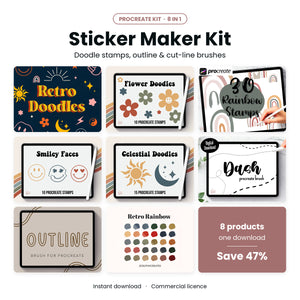
Made with this tool? You'll love this
Everything for stickers in Procreate: outline, cut line and sticker brushes in one kit.
Black Friday: 30% off, applied at checkout. Ends Monday.
See it · $9.99